
360 video — viewers choose where to look while the film plays
Unlike a conventional film, which locks the frame the director chose, 360 video captures the entire space around the camera. Viewers turn their phone or put on a headset to look in any direction while the scene plays — ideal when you want viewers to feel they are standing inside the space, not watching a clip.
- View on phone, computer or VR headset
- Built from 3D models, no need for the building to exist yet
- Publish directly on platforms that support 360 format
How 360 video differs from a 360 virtual tour
These two products are often lumped together, but they differ in nature, cost and use case. Choose the wrong one and you pay for something that doesn't do the job.
360 video — this page
- Scenes in motion: flowing water, people moving, changing light
- Viewers choose only the viewing direction, not where to stand
- A narrative arc and fixed duration, typically sixty to ninety seconds
- Most powerful with VR headsets at events
- Priced by duration
360 virtual tour — a different product
- Still images, no motion in the scene
- Viewers choose where to stand and move between capture points
- No time limit; visitors explore as long as they like
- Most powerful when you send a link for clients to explore on their own
- Priced by number of capture points — see 360 virtual tour
Where 360 video delivers
VR headset experiences at events
Visitors put on a headset at the booth or launch event and are inside the project within a minute. This is where 360 video clearly outperforms every other presentation format.
Scenes with motion to be shown
Water flowing in the pool, trees swaying in the wind, people moving through the lobby — things the still images of a 360 virtual tour cannot convey.
Day-to-night transition within the scene
The light shifts gradually while viewers keep looking around freely, showing the building in two states without watching twice.
360° flyover of the entire site
The camera glides overhead while viewers look in every direction, taking in the project's scale in a way no map can.
Publish on 360-enabled platforms
Several video platforms support 360 format natively; viewers drag the screen to look around, with nothing extra to install.
Combined within a virtual tour
Embed a 360 video scene within a tour of stills, placed at the most important area to create a highlight without inflating the cost of the whole tour.
Reference image quality
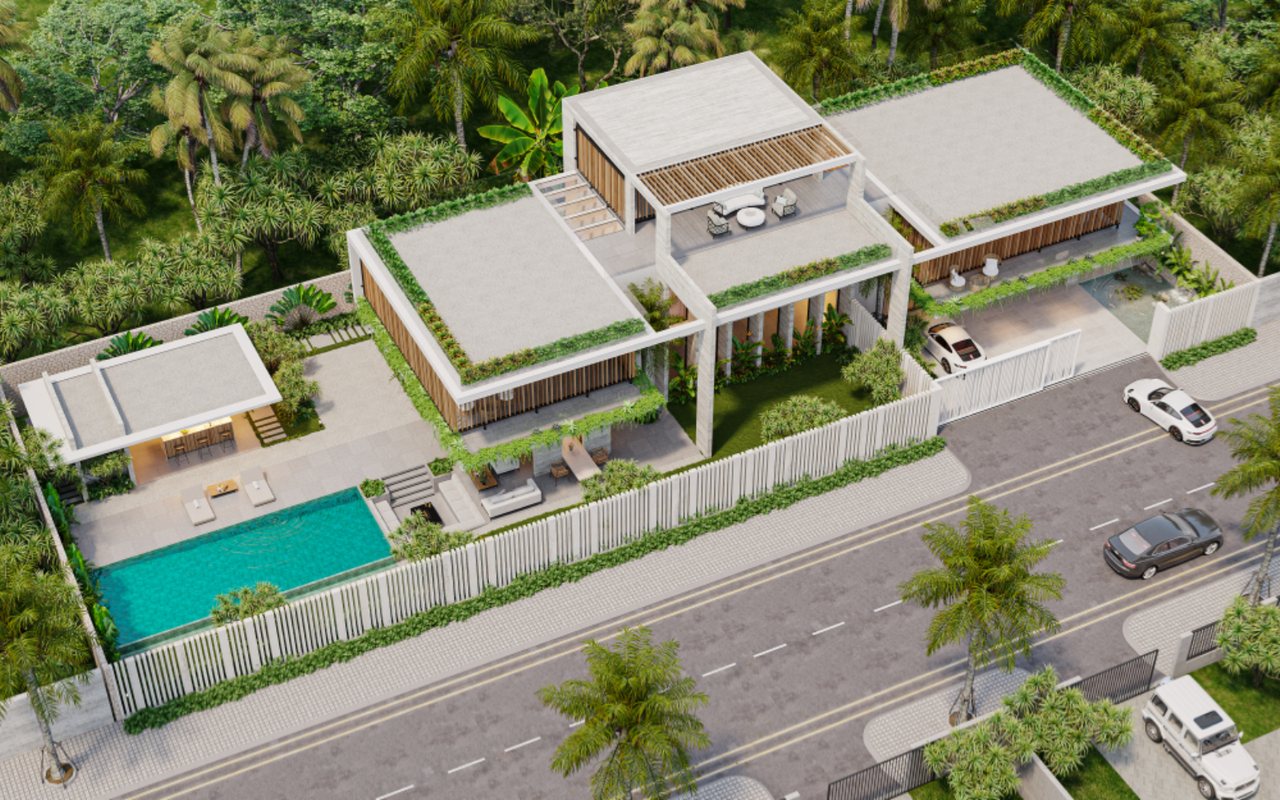
The four tours below are 360 stills, not 360 video. We include them so you can judge our scene-building quality and sharpness — the foundation shared by both products.



Inputs and deliverables
You provide
- 3D model and finishing materials schedule
- Where you want the camera placed and the desired camera path
- Duration and where the video will be shown
- Intended devices: VR headset, phone or online platform
Lotuz delivers
- 360-format video file with metadata so players rotate it correctly
- A high-resolution version for VR headsets and a lighter version for online use
- Upload guide for the platforms you use
- A version without background music for separate voice-over
Capabilities and technology
Lotuz Studio does not rely only on off-the-shelf commercial software. We build our own in-house tools for our own workflow — the practical reason we can shorten timelines and keep pricing stable.
Lotuz.AI — our in-house AI toolkit for Photoshop
Controlled image generation, relighting and resolution upscaling, running directly inside Photoshop. It is a commercial product on public sale at lotuz.ai.
- What you get: a much shorter post-production stage, so we can take on rush requests too
A sync bridge between SketchUp and 3ds Max
An in-house tool that pushes changes from a SketchUp model to a 3ds Max scene while keeping the materials and lighting setup already in place.
- What you get: mid-project design changes do not force a scene rebuild from scratch, so the schedule does not slip
AI image processing that runs on our own workstations
Background removal, selection and edge refinement are processed locally in our office; files are never uploaded to third-party cloud services.
- What you get: unreleased project files never leave our systems
Our own 360 tour management system
We build and manage tours ourselves on krpano, including multi-resolution image tiling so tours open fast even on weak connections.
- What you get: tours you control yourself, with no dependence on a foreign platform subscription
A ten-person team doing the work directly
The person you talk to is the person who does the work. No call center, no coordination middlemen, no handoff to a third party.
- What you get: focused technical feedback from the very first conversation
Multi-format input files
We accept models from SketchUp, Revit, 3ds Max and Rhino, as well as CAD drawings. For projects without a model, 3D modeling is quoted as a separate item.
- What you get: no file conversion needed before sending your documents
How pricing works
Cost depends on duration and how much of the scene must be built around the camera position.
- We work under contract, issue VAT invoices and bill against sign-off milestones.
- If there is no 3D model yet, modeling is quoted as a separate line item.
FAQ
Should we choose 360 video or a 360 virtual tour?
Do viewers need a VR headset?
Why does 360 video cost more than a regular film?
Which platforms can we publish on?
Can we add hotspots like in a tour?
Discuss your 360 video
Contact us on Zalo or call us directly. If you are not sure whether to choose 360 video or a 360 virtual tour, we advise based on your actual use case rather than selling you the more expensive product.
- Use case: headset events, online publishing or both
- Whether a 3D model exists or needs to be built
- Desired duration
- Date you need it live