
Buyers don't imagine your project. They experience it.
A 3D interactive floor plan app is a cross-platform sales engine: buyers rotate the building, explore interiors, take VR 360° tours and filter units by budget, area and availability — all before the first brick is laid.
Lotuz Studio · Da Nang · Hotline 0355 166 833
What buyers can do on their own, without you explaining
3D rotation of the whole site
Spin the plan a full 360° to reveal every elevation, every view and every landscape detail.
Smart AI assistant
Ask anything about an apartment: price, area, floor, availability, amenities — buyers find the right unit instantly.
VR 360° tour
Virtual walkthroughs of interiors and exteriors. Selling off-plan has never felt so real.
Cross-Platform
Runs on desktop (Mac and Windows), web browsers, iOS and Android. Sell anywhere, anytime.
CRM integration
Connects seamlessly with your existing customer management system, or we build one from scratch.
Day and night mode
Present the project under changing light — daytime, sunset or lit up at night — for maximum emotional impact.
Interactive floor plans outperform traditional sales materials on every metric that matters
Four deployment options
A 3D interactive floor plan app — or interactive project map — is a tool that helps real estate sellers present products to buyers, in person or remotely. This cross-platform app is fully featured: search by name, location, price, area, availability and many other key parameters.
The four options below are ordered by increasing interactivity. Which one fits depends on the scale of the project and how you sell: a single development, a portfolio of projects, or a presentation at a sales agency on a large touchscreen.
Interactive project map
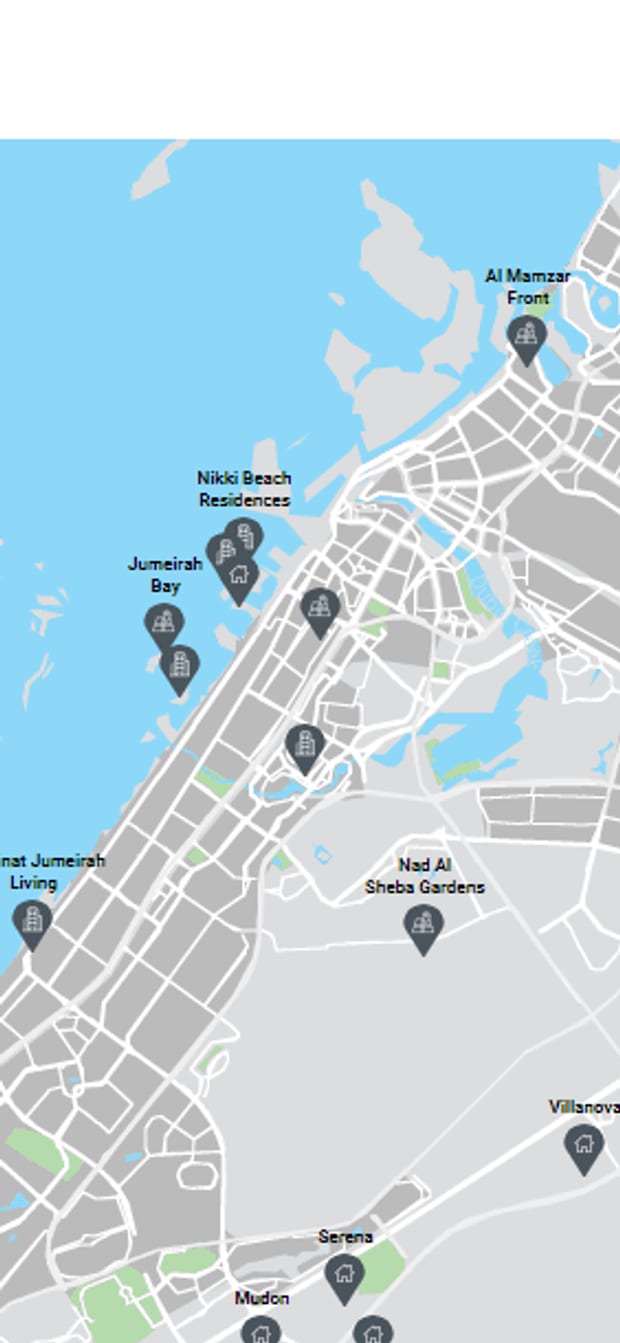
All in one — the shortest way to describe the Interactive Project Map. The most complete information on every project and the surrounding infrastructure is gathered in a single app. It saves buyers research time: with filters set to their own criteria, they get the most useful information, and as a result you get a genuinely interested buyer.
Interactive project map — live demo
Try it: filter projects, rotate the map, check distances between points, open the menu.
All features
- Custom Google map covering the entire project
- Landmarks
- Transport
- Education
- Shops and retail
- Healthcare
- Filter projects on the map
- Measure distances to points of interest
- Complete information for every project
- Villa VR 360° tour
- Link project pages into the map
- Apartment VR 360° tour
- Street-level 360° photos
- PDF brochure for every unit
- A simple, complete admin panel
- Opens on any internet-connected device
Once a project grows beyond a single house or villa, there is no more convenient way to present it than an Interactive Project Map. With every building marked on the interactive map, buyers are completely free to choose their future home, taking the area's amenities and infrastructure into account.
Your buyers may have families with young children, so the distance from home to school matters. Or they love shopping and entertainment, so a nearby mall is more than a nice bonus when choosing a home. With handy filters, buyers pick the essential infrastructure categories based on their own preferences and location. With the route tool, you can easily calculate the direct distance to each point.
The Interactive Project Map goes beyond maps and aerial panoramas. Users get comprehensive information on each development through VR 360° tours and detailed descriptions of every project.
Interactive 3D apartment plan on the web
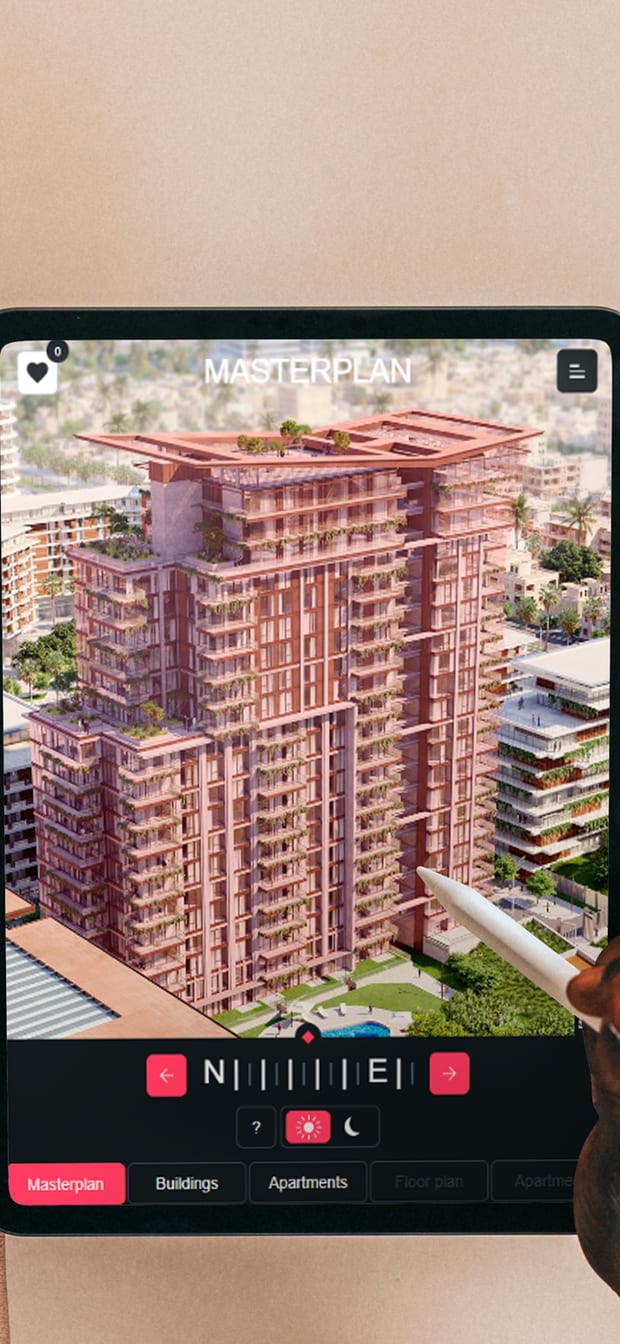
The perfect combination of the building's exterior presentation and the interiors of the apartments inside. Everything is in view: no angle is missed, because you are always one click away from the view you want. Rotate, filter and select exactly what interests you. The highest level of information and interactivity, built around buyer convenience.
3D apartment plan — live demo
Try it: rotate the building, view each apartment, take the VR 360° tour, open the menu.
All features
- 360° rotation of the whole site
- Day and night mode switch
- Choose a floor, choose a unit
- Layout plan for every unit
- Area and balcony orientation
- Real-time unit availability
- Interior VR 360° tour
- Filters by budget and area
- Price and affordability of every unit
- Embed directly into the project website
Suppose you are looking for a solution that describes a property in detail while staying easy for viewers to take in. In that case, the interactive 3D apartment plan on the web is exactly what you need. No more long descriptions, hard-to-read drawings or confusing floor plans — everything you want to tell your buyers can be presented easily in digital visuals.
Present the building's exterior, and not just with figures — viewers can inspect it from every direction. And because the plan rotates, they can also assess the landscape and surrounding amenities. Curious how the project looks lit up at night? Switch to night mode: evening light has an appeal of its own.
Next come the apartments. If viewers know exactly what they want, handy filters make the search quick and easy. Or they can browse the floor plans first and then choose the interiors they want to see. All with information on area, price and affordability.
- Rotation limited to the vertical axis or to pre-built 360 points
- No free step-by-step movement as in a video game. For the feeling of standing inside the building, use the VR 360° tour in option 04
Interactive 3D villa plan on the web
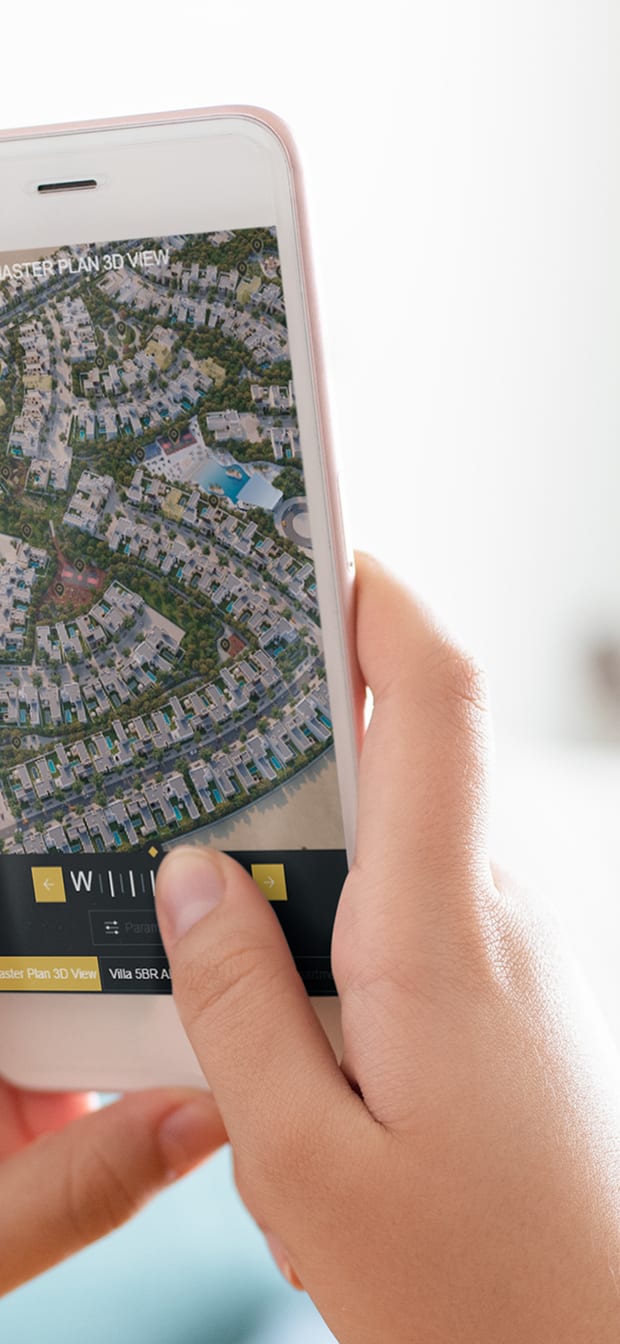
Tell buyers about your project in as much detail as possible with an interactive 3D villa plan. Let viewers assess every advantage of the property from every side. By rotating the plan and reading about each building of interest, buyers can judge the value of the whole development for themselves. And viewers are not limited to one perspective: they can see not only from above but also the interiors of every unit.
3D villa plan — live demo
Try it: rotate the whole site, view each unit, take the VR 360° tour, open the menu.
Of course you have thought about the comfort of future residents: the project has sports courts, running tracks, parks and relaxation areas. Viewers need to know where they are, so each one is marked on the interactive map. A single tap on a marker brings up a close-up of that spot.
And with close-up rotation of each building, viewers get a closer look at their future home. All that remains is to pick the villa that meets their criteria — this is where filters help. In 3D floor plan view they instantly see the unit's interior and technical details. Status markers show whether a unit is still available and at what price.
VR 360° tour — technology Lotuz runs in-house
The three options above present the project from the outside. A VR 360° tour takes buyers inside: stand in the lobby, turn a full circle, step into the next room, look out from the balcony in the exact direction the real home will face. This is the part we fully own — a self-run krpano platform with no third-party dependencies, already live for our clients.
VR 360° tour — a live build, not a demo video
Drag to look around, tap a hotspot to move to the next scene, open the menu to see the list of areas.
All features
- High-resolution 360° images, tiled for progressive loading
- Hotspots to move between areas
- Mini-map showing your current position
- Day and night modes for the same scene
- Background music and voice-over for each scene
- Embed directly into the project website via iframe
- Runs on phones, tablets and kiosks
- View with a VR headset
- Dedicated link for each buyer
- Full handover, running on your own domain
The strength of a VR 360° tour is its realism. Viewers are not looking at a reconstructed model; they see the actual view they will get — the real light, the real scale, the real outlook from that spot. For projects with a show unit already built or a structure already topped out, it is the most convincing presentation available without bringing buyers on site.
We run the entire platform in-house: scene building, image tiling, hotspot placement, locator plans and an admin panel so you can add scenes yourself later. The delivered tour runs on your own domain and is not locked into anyone's system.
- Viewers move between captured points, not step by step freely as in a video game
- Tour quality depends on the quality of the source 360° photos — they must be shot with the right equipment and the right workflow
Four Lotuz tours live for clients
Which platforms does the interactive floor plan app support
Presenting the interactive floor plan on a large touchscreen
Does it run on phones and tablets?
Can it integrate with a CRM or reservation system?
Can one map hold multiple projects and multiple infrastructure layers?
What it takes to build an interactive floor plan
The standard package includes architectural drawings, elevations and floor plans; information on the landscape and surroundings; and a design brief or finalized interior documentation. To show product availability, the app can connect to your CRM — the corresponding access must be granted. If a CRM has to be built from scratch, we need information on the inventory, product specifications and amenities.
What developers often ask before ordering
Can the VR 360° tour be embedded in the project website?
Does viewing a VR 360° tour require a powerful device?
Does the web version allow free movement?
What does a typical delivery package include?
Are an interactive floor plan and an interactive project map the same thing?
Send us your project details and we will send you a quote
Send us your drawings and product information. We review the documents, recommend the best fit among the four options above and quote with a delivery timeline.
Lotuz Studio · Da Nang, Vietnam