
3D tours that run right on your website, nothing to install
The space is captured in high-resolution panoramas and linked into a navigable tour: viewers look around, move between areas and open information pinned to each location. Everything runs in the browser on phones, tablets and computers.
- Runs in the browser, no app or extension to install
- Embed into your existing website with a single code snippet
- Four live tours below — try them now and judge for yourself
Images answer one question; a 360 tour answers the other
A set of rendered images answers "what does this place look like" very well. The artist picks the best angle and the most flattering light, and viewers get exactly the impression the seller wants to create.
But a buyer about to spend money has a second question images can't answer: "what about everything outside the frame?" Where does this window look out to? How far is the kitchen from the living room? Which way does the balcony face relative to the pool? Images fall silent exactly there, and that silence reads as something being hidden.
A 360 tour removes that question by removing the frame: viewers choose where to look, so they no longer feel steered. That's why a tour usually complements images rather than replacing them — images make the first impression, the tour dispels the remaining doubt. This page covers the web browsing experience: how viewers move through the space, how information is pinned to objects, and how the tour goes into your existing website.
Four tours in live operation
The fastest way to judge loading speed, sharpness and navigation is to open a tour yourself. The Casa Del Jardin tour shows the most: day and night mode, a floor plan and transition points into the interior.
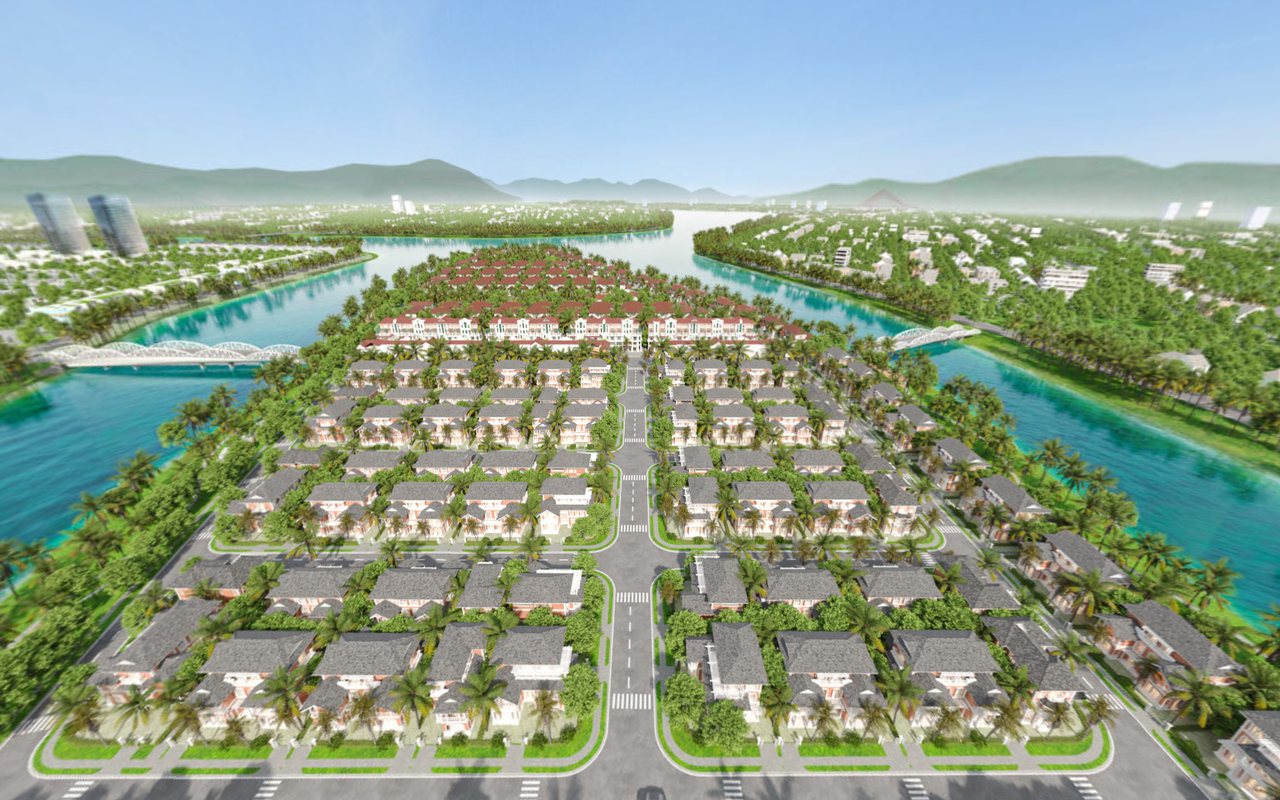
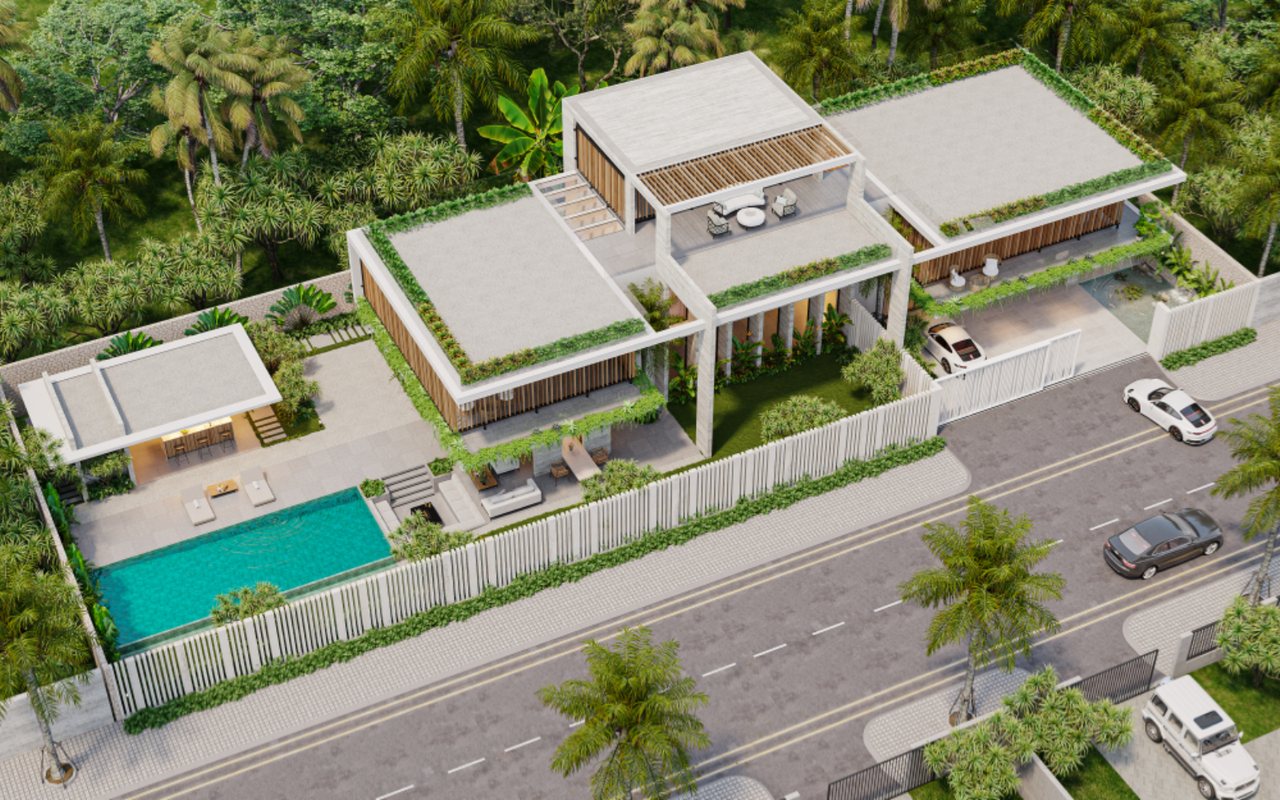
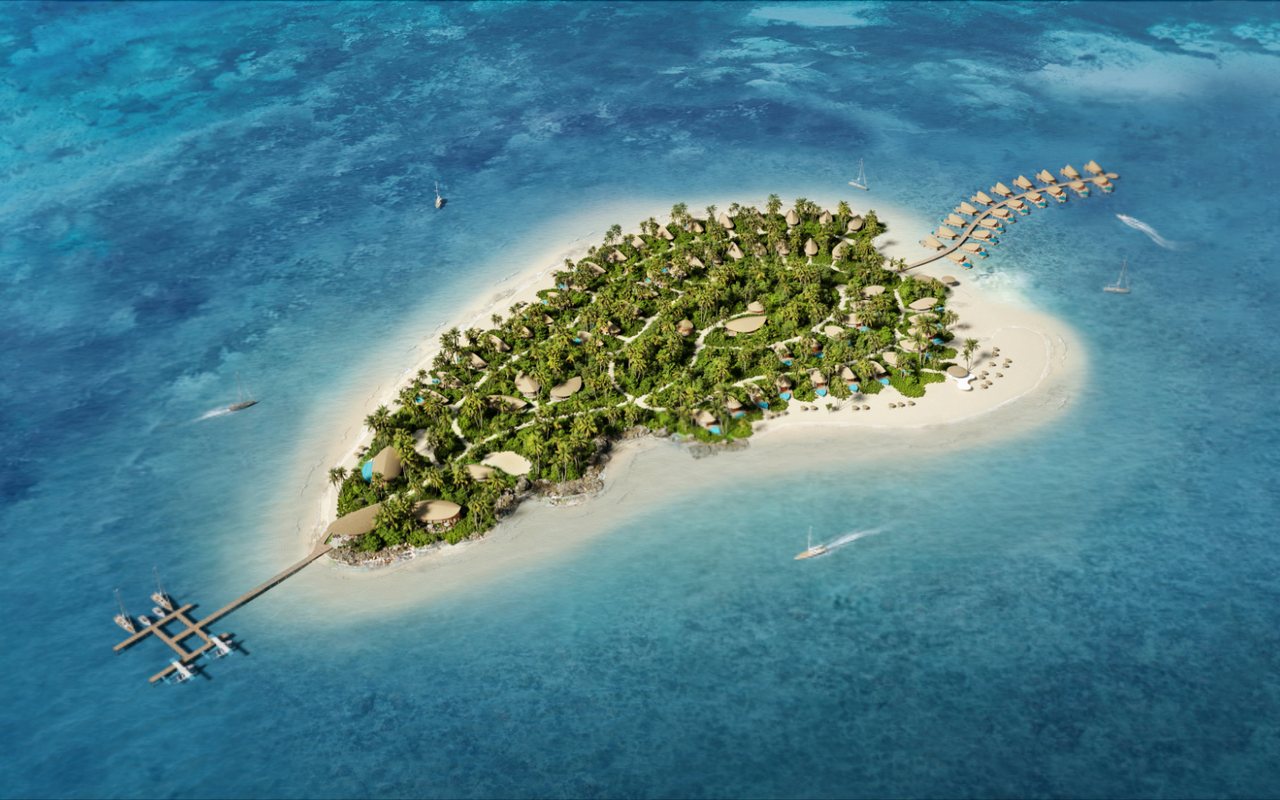
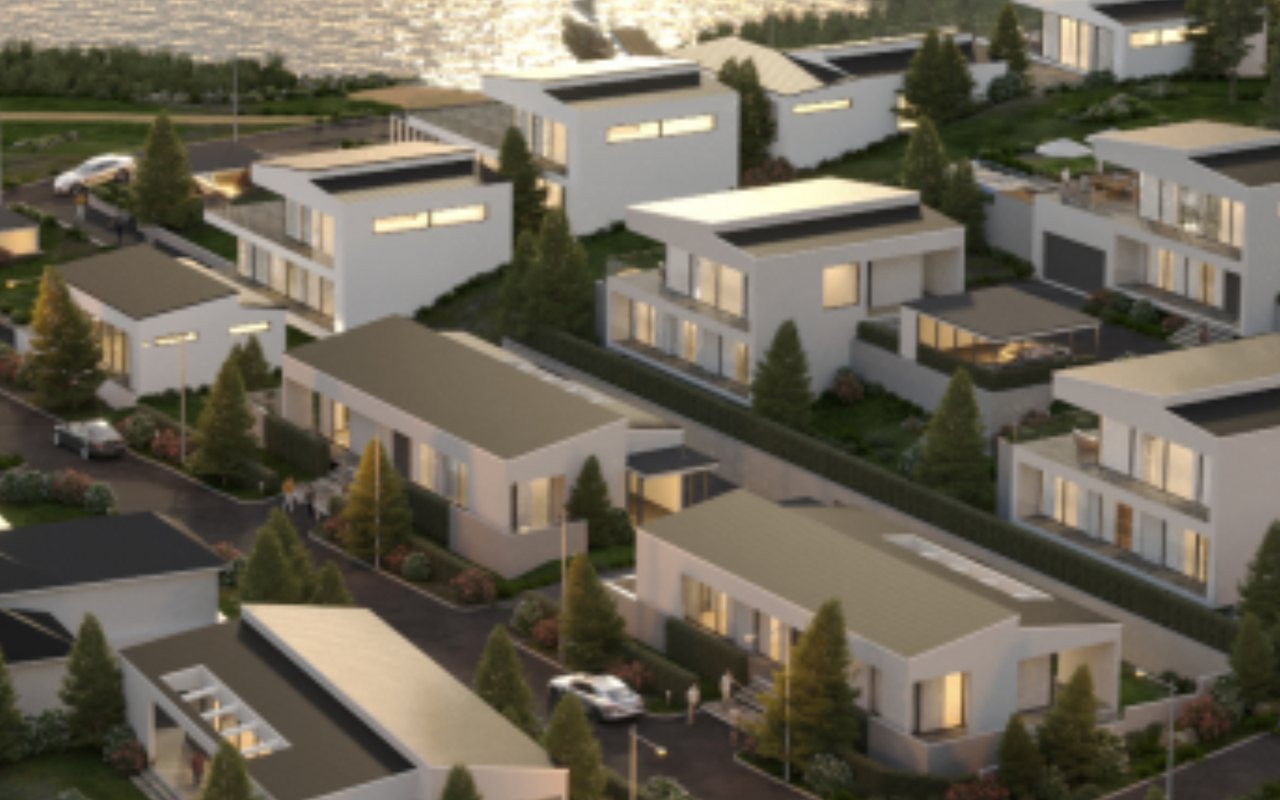
Six ways viewers explore a space
The six modes below can be used on their own or combined within one tour, depending on the space. Each comes with a What you get line showing what it changes for your sales, not just a technical description.
Look around from one spot
Viewers stand at one position and look around a full 360 degrees, up to the ceiling and down to the floor. This is the basic mode, included in every tour.
- What you get: viewers no longer feel they are only being shown selected angles — the feeling that makes them suspect the unshown parts are the problem.
Moving between positions
Click a transition point on the floor or walkway to move to the next area, so it feels like walking through the space rather than flicking through separate images.
- What you get: viewers understand how the areas relate to each other — something a set of separate images can't convey, however many there are.
Floor plan navigation
A mini floor plan shows the viewer's current position and lets them jump straight to any area — essential for spaces with many rooms.
- What you get: customers explore large spaces end to end without giving up halfway because they got lost.
Info labels pinned in the space
Pin info points to any object or area, opening descriptions, images, downloadable documents or links to other pages.
- What you get: material specs and supporting documents sit exactly where the viewer has a question, instead of in an attachment nobody opens.
Day and night mode
The same viewpoint in two lighting versions, with a slider to compare them. Ideal for projects where the evening lighting is a highlight.
- What you get: you can show the value of the evening lighting — a major part of the project budget that daytime images simply cannot convey.
VR headset mode
The tour supports standard phone-based VR headsets. This is an optional extra — most viewers still use phones and computers.
- What you get: a highlight for your trade-fair booth or launch event, with no separate product to produce.
Inside a real tour: Casa Del Jardin
Rather than vague descriptions, here is what runs in one actual tour and how it was built. Open the tour and check it line by line.
What the viewer sees
- The tour opens straight onto the exterior; look around to see the pool, the garden and the building facade.
- A left sidebar lists the areas with thumbnails: entrance, lobby, garden, pool, street frontage.
- Tap a point on the floor to walk from outside to inside, with no need to go back to a menu to pick an image.
- Toggle day and night mode to compare the same view under two lighting schemes.
- The floor plan shows where you are in the house.
- Open the Casa Del Jardin tour →
What's behind it
- Each area is its own spherical panorama, split into several resolution levels that load progressively based on where the viewer looks.
- Day and night mode uses two image sets of the same position, color-matched so the view doesn't jump when you switch.
- Transition points are placed by hand at their real positions on the floor, not generic buttons in a corner of the screen.
- The floor plan is synced with the area list, so wherever you stand, that spot lights up on the plan.
- Everything is static files on Lotuz infrastructure, so it embeds directly into other pages with no third-party policy restrictions.
Unbuilt projects can still have a tour
This is the most common misconception, and the reason many developers drop 360 tours from their plans too early. A tour doesn't have to be captured from a real building.
If the project is already built
- On-site capture with a camera and panoramic head at each agreed stop.
- Faster and more economical than building from a model.
- Viewers know it is the real thing, so it is the most persuasive.
- The trade-off: it captures only what is already finished, and depends on the weather and site conditions.
If the project is still on paper
- Spherical panoramas rendered from the 3D model at exactly the positions where viewers will stand.
- You can choose the time of day, material options and interior options — something a camera can't do.
- Usable from the early pre-sale stage, when there is nothing to photograph yet.
- The trade-off: quality depends on the input model, and the rendering workload is larger.
- Both approaches can be combined in one tour — capture the handed-over areas, build the zones still under construction.
Specifications of a web-based tour
| Runs on | Browsers on phones, tablets and computers — no apps, no extensions, no plugins |
|---|---|
| How it goes on your website | An embed code added to an existing page, much like embedding a video; or a dedicated link sent straight to your customers |
| Loading speed | Tiled resolution levels: the tour appears instantly at overview level, then loads detail for the exact area in view |
| Touchscreen at the sales counter | Works, but it is still a web tour opened full screen — not dedicated sales-counter software |
| When offline | Export an offline version copied straight onto the computer at the point of sale |
| VR headset | Standard phone-based headsets; Lotuz does not develop apps for dedicated VR headsets |
| Attached content | Text, images, downloadable documents and external links, pinned anywhere in the space |
| After handover | You can edit label content and replace a stop's image yourself; adding new stops requires additional shooting or rendering |
| Not covered on this page | Unit inventory, unit availability and CRM integration — these belong to Real Estate VR360 |
From first conversation to a tour live on your website
Two review points are flagged so you know in advance when to assign someone to review and give feedback.
Finalize the list of stops
On the floor plan or on site, we agree where the tour stops and how it moves from point to point. The number of stops is the variable that affects cost the most, so it is fixed at the outset.
Creating the spherical panoramas
On-site capture if the space is finished, or rendering from the 3D model if not. One tour can use both approaches for different zones.
Stitching and color matching
Stitched into seamless spherical panoramas, then balanced for exposure and color across points so every transition feels smooth.
Build navigation and add info labels
We place transition points, the floor plan and the area list, and add info labels using the content you provide. Day and night mode, if included, is connected at this step.
Brand-matched interface
Colors, logo, buttons and layout adapted to your brand identity.
Handover and embedding
We send the embed code with the full set of tour files, plus an offline version on request. Once your web admin adds the code, the tour runs on your site.
Inputs and deliverables
You provide
- List of areas to include in the tour
- Floor plans, if floor plan navigation is needed
- Content for each info label
- Brand identity
- Access to the space for on-site capture, or a 3D model if built from a model
Lotuz delivers
- Tours run in the browser on any device
- An embed code to add to your existing website
- A dedicated link to share directly with customers
- An offline version for when the on-site connection is unreliable
- Original panorama image set
What a 360 tour cannot do
This section is here so you don't make the wrong promise to your customers, which is why we put it mid-page instead of hiding it at the bottom.
No measurements. The tour is for viewing and experiencing the space; exact dimensions must come from the design documents. Measuring and dollhouse-style models belong to specialist scanning equipment and are not part of what Lotuz delivers.
No free roaming like a video game. Viewers move between pre-built stops, not step by step wherever they like. Full free roaming is an entirely different product in both technology and cost, and Lotuz does not take on that scope.
Not a complete sales tool. If you need unit inventory, per-unit availability or a CRM integration, that falls under Real Estate VR360. And a tour doesn't replace a real site visit — it shortens the list of places buyers need to visit; it doesn't sign the contract for you.
Scope and cost
We don't publish a flat rate, because two spaces of the same size can differ several times over in workload. Below are the factors that actually drive cost, so you can estimate before you ask.
| Factor | Impact on cost |
|---|---|
| Number of stops | The biggest factor. Each point means creating one spherical panorama and building its navigation. |
| On-site capture or built from a model | Building from a model costs more because it must be rendered; on-site capture adds travel costs and depends on the access schedule. |
| Day and night mode | Doubles the number of spherical panoramas for the points it applies to, plus color matching between the two sets. |
| Floor plan | The plan must be built and synced with every stop; the more floors, the heavier the work. |
| Number of info labels | A few labels are negligible; dozens of labels with attached documents become a separate line item. |
| Level of interface customization | Applying your colors and logo is the basic level; a full layout redesign to your own identity is charged extra. |
- Contract and VAT invoice provided.
- For real estate projects that need a complete sales tool, please see our Real Estate VR360 page.
FAQ
Do viewers need to install an app or browser extension?
Is it complicated to embed in a live website?
Can the tour measure the space?
How sharp are the images in the tour?
Can the info label content be updated later?
Will the tour break or expire over time?
Can we host the tour on our own server?
Capabilities and technology
Lotuz Studio does not rely only on off-the-shelf commercial software. We build our own in-house tools for our own workflow — the practical reason we can shorten timelines and keep pricing stable.
Lotuz.AI — our in-house AI toolkit for Photoshop
Controlled image generation, relighting and resolution upscaling, running directly inside Photoshop. It is a commercial product on public sale at lotuz.ai.
- What you get: a much shorter post-production stage, so we can take on rush requests too
A sync bridge between SketchUp and 3ds Max
An in-house tool that pushes changes from a SketchUp model to a 3ds Max scene while keeping the materials and lighting setup already in place.
- What you get: mid-project design changes do not force a scene rebuild from scratch, so the schedule does not slip
AI image processing that runs on our own workstations
Background removal, selection and edge refinement are processed locally in our office; files are never uploaded to third-party cloud services.
- What you get: unreleased project files never leave our systems
Our own 360 tour management system
We build and manage tours ourselves on krpano, including multi-resolution image tiling so tours open fast even on weak connections.
- What you get: tours you control yourself, with no dependence on a foreign platform subscription
A ten-person team doing the work directly
The person you talk to is the person who does the work. No call center, no coordination middlemen, no handoff to a third party.
- What you get: focused technical feedback from the very first conversation
Multi-format input files
We accept models from SketchUp, Revit, 3ds Max and Rhino, as well as CAD drawings. For projects without a model, 3D modeling is quoted as a separate item.
- What you get: no file conversion needed before sending your documents
Talk to us about your space
Contact us via Zalo or call the specialist in charge directly.
- Space type and scale
- Whether the space is finished or must be built from a 3D model
- Desired features: floor plan, day/night, info labels
- The website where the tour will be embedded, if any